
Understanding the Hybrid Workplace
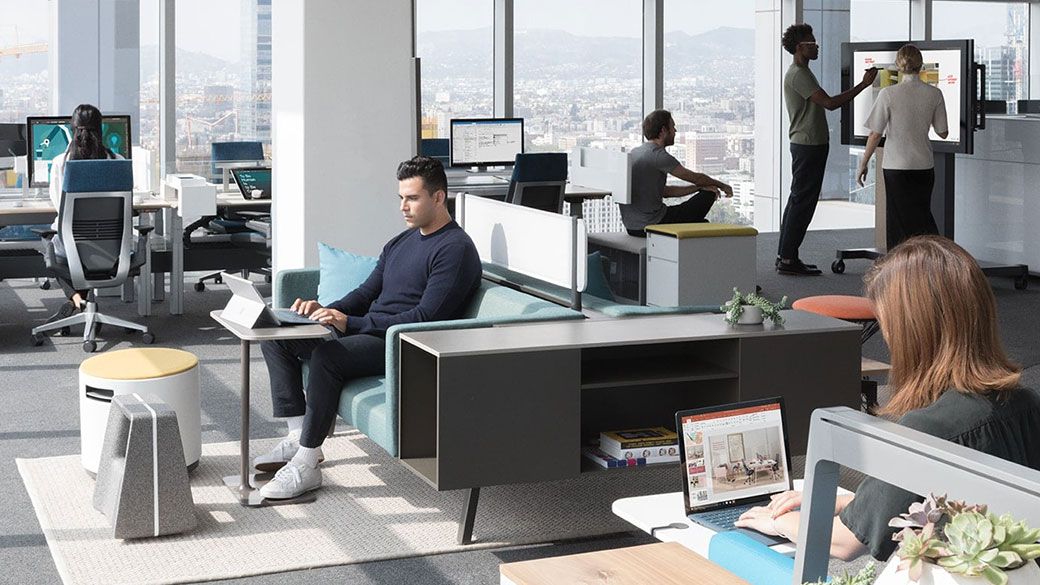
The hybrid workplace combines remote and office-based work, giving employees flexibility and choice. Organizations must adopt modern technologies to maintain productivity and collaboration across locations. Proper planning ensures teams remain connected while meeting operational goals. Hybrid work requires reliable tools for communication, document sharing, and task management. A strong digital foundation allows employees to work seamlessly from anywhere. Companies that embrace hybrid work can attract and retain top talent. The right IT solutions support both remote and in-office productivity. Understanding the hybrid model is the first step toward a successful modern workplace strategy.
Implementing Microsoft Teams for Hybrid Work
Teams is a critical tool for enabling hybrid work by connecting employees through chat, video, and collaborative workspaces. Teams integrates with SharePoint, OneDrive, and Outlook, creating a central hub for all workplace communications. Organizing channels and projects helps maintain focus and clarity across dispersed teams. Video meetings, document collaboration, and task management features allow teams to work effectively without being in the same location. Teams also supports third-party app integration to further enhance workflows. Training employees to use Teams efficiently is key to maximizing its benefits. Teams helps organizations stay productive, engaged, and aligned in hybrid work scenarios. Using Teams strategically improves communication, collaboration, and project delivery.
Secure Device Management with Intune
Microsoft Intune enables organisations to manage devices and applications securely across hybrid environments. IT teams can enforce policies, monitor compliance, and protect sensitive data on mobile and desktop devices. Intune allows employees to work from anywhere without compromising security. Device management reduces the risk of data breaches and ensures consistent access controls. Integration with Microsoft 365 enhances device security and management capabilities. Automated updates and policy enforcement streamline IT administration. Intune also supports BYOD (Bring Your Own Device) initiatives safely. Secure device management is essential for modern hybrid workplaces to maintain efficiency and compliance.
Workflow Automation and Productivity
Automation tools within Microsoft 365, like Power Automate and SharePoint workflows, reduce repetitive tasks and free up employee time for strategic work. Organizations can create automated approval processes, notifications, and document routing. Automation ensures consistency, reduces errors, and improves operational efficiency. Employees can focus on tasks that require critical thinking rather than manual repetitive work. Automation tools integrate seamlessly with Teams and SharePoint for smooth workflows. Tracking and analyzing processes help optimize performance further. Modern workplaces benefit greatly from automation by saving time and enhancing productivity. Implementing automation is a key strategy for thriving in hybrid environments.
Fostering Collaboration and Engagement
Collaboration and employee engagement are the heart of a successful hybrid workplace. Providing the right digital tools, training, and communication channels ensures teams remain connected. Encouraging a culture of collaboration enhances knowledge sharing and innovation. Regular check-ins, virtual meetings, and team initiatives keep employees engaged regardless of location. Monitoring engagement metrics helps identify gaps and improve processes. Tools like Teams, SharePoint, and Planner make collaboration seamless and effective. Engaged employees contribute to higher productivity and better business outcomes. Building a collaborative culture is essential for modern work success.